Synology - How can I improve performance or disconnection issues of iSCSI LUNs?
How can I improve performance or disconnection issues of iSCSI LUNs?
If you encounter the following issues when using iSCSI LUNs on VMware, Microsoft Windows, etc. hosts, we suggest performing troubleshooting by following the instructions in this article:
- Poor iSCSI LUN performance on the host
- Sudden disconnection from the iSCSI target or connection failure on the host
- Warning of high latency of iSCSI LUN on the host
- Connection timeout notification on the host
Troubleshooting
- If you are using RAID 5, 6, F1 or SHR with more than three drives, please go to Storage Manager > Storage Pool, select a storage pool and click Action > Change Settings to select Smaller stripe cache size.
- If the issues happen on VMware hosts, please make sure that:
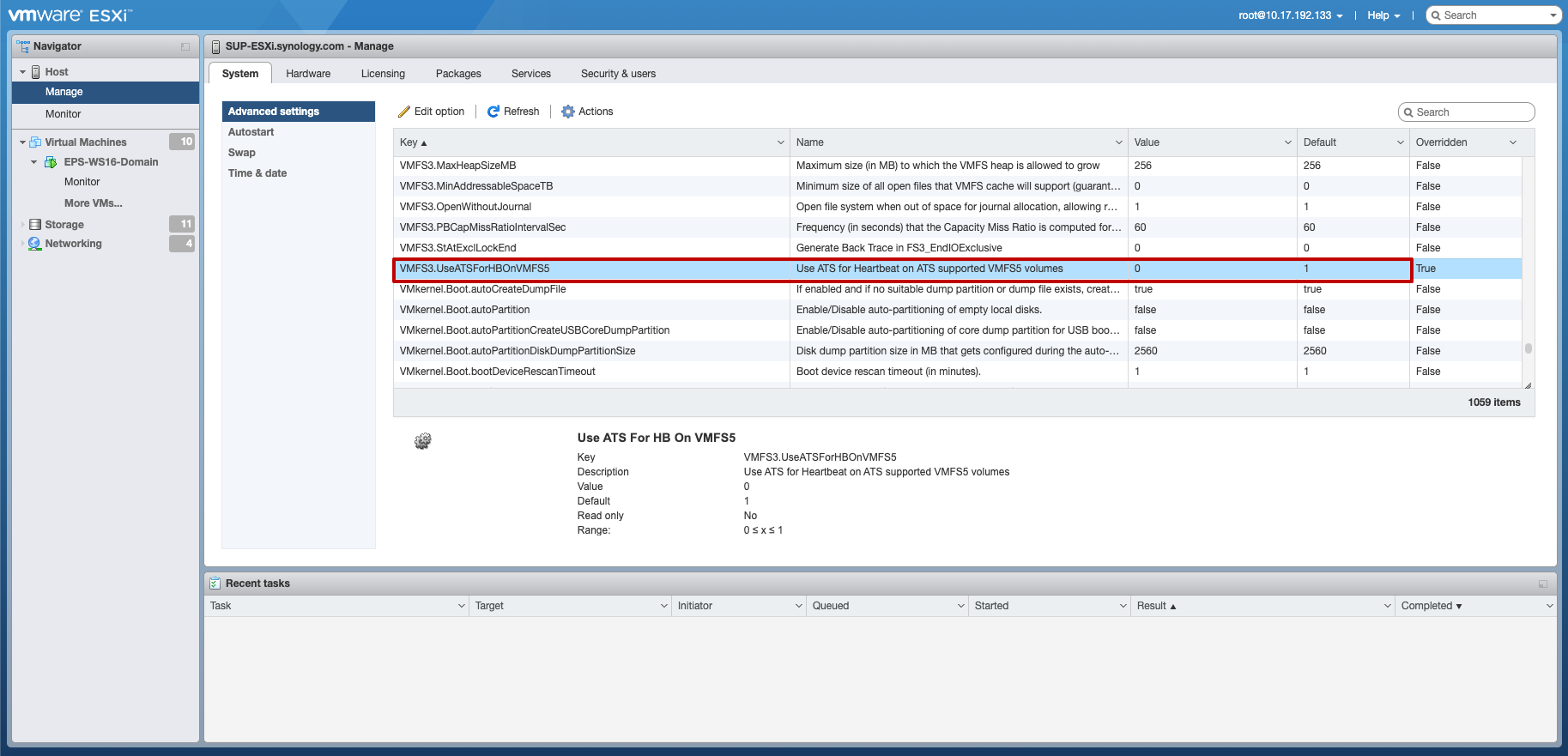
- ATS heartbeat is disabled by modifying its value to 0. For further information, please refer to the VMware Knowledge Base article.
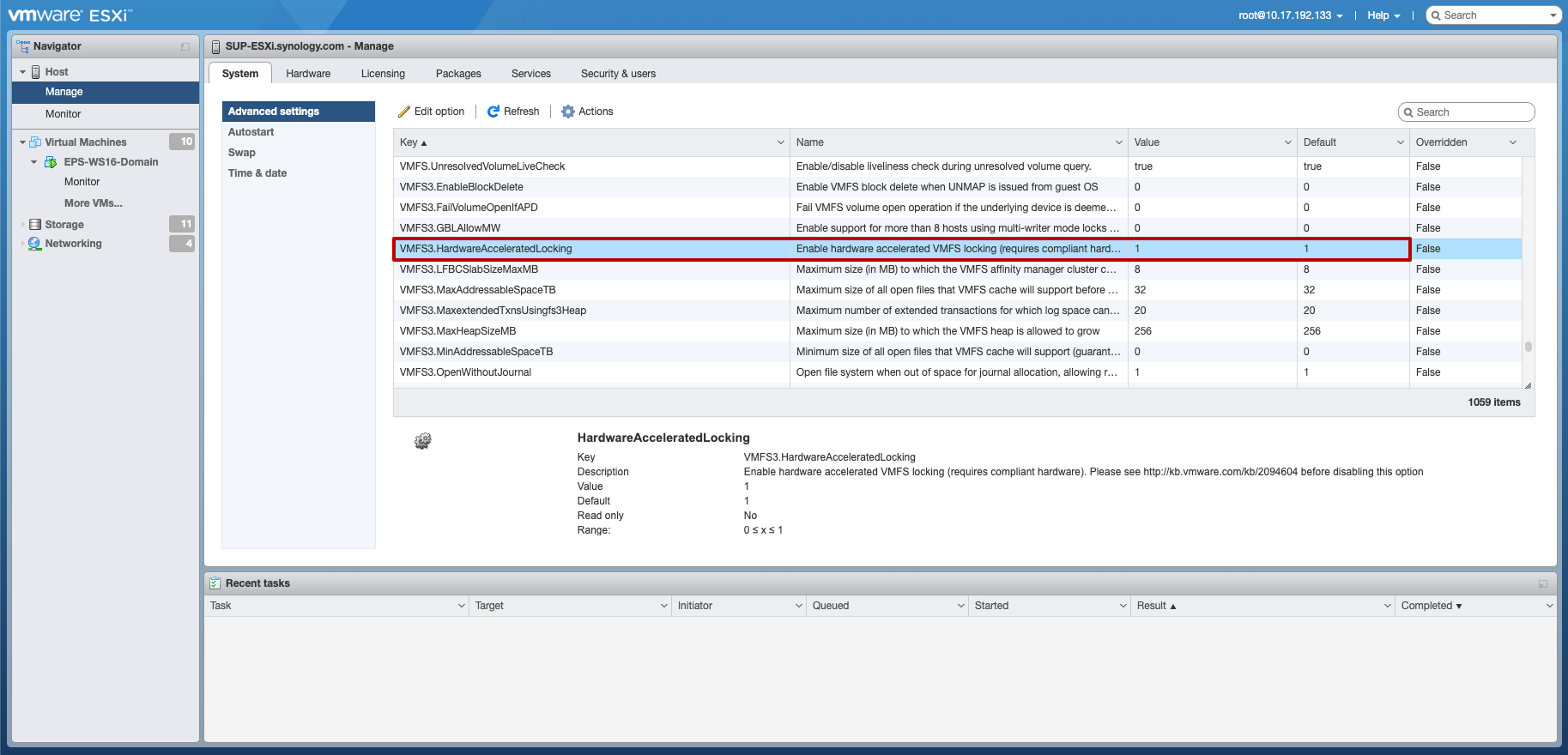
- The value of HardwareAcceleratedLocking is 1 if the Hardware-assisted locking advanced feature is enabled on your iSCSI LUN.
- ATS heartbeat is disabled by modifying its value to 0. For further information, please refer to the VMware Knowledge Base article.

Comments
Post a Comment