Synology how can I improve the performance or resolve disconnection issues of iSCSI LUNs
how can I improve the performance or resolve disconnection issues of iSCSI LUNs
https://kb.synology.com/en-us/DSM/tutorial/How_can_I_improve_iSCSI_LUN_connection_issues_or_performance
If you encounter the issues below when using iSCSI LUNs on VMware, Microsoft Windows, or other hosts, we suggest performing troubleshooting by following the instructions in this article:
- Poor iSCSI LUN performance on the host
- Sudden disconnection from the iSCSI target or connection failure on the host
- Warning of high latency of iSCSI LUN on the host
- Connection timeout notification on the host
- It takes longer than expected to make a connection
Resolution
Modify the stripe cache size
If you are using RAID 5, 6, F1, or SHR with more than three drives, adjust the stripe cache size following the instructions below based on your DSM version.
- DSM 7.0: Go to Storage Manager > Storage, select a storage pool, and click
 . Click Settings and select Smaller stripe cache size under Stripe Cache Size.1
 - DSM 6.x: Go to Storage Manager > Storage Pool, select a storage pool, and click Action > Change Settings. Select Smaller stripe cache size.1
Configure Network Binding settings
- DSM 7.0: Go to SAN Manager > iSCSI, select the target you’re using and click Edit. On the Network Binding tab, choose Only selected interfaces. From the list, select only the network interface to use for your iSCSI services.
- DSM 6.x: Go to iSCSI Manager > Target, select the target you’re using and click Action > Edit. On the Network Binding tab, choose Only selected interfaces. From the list, select only the network interface to use for your iSCSI services.
Check VMware host settings
If the host server is on VMware, make sure of the following:
- You have disabled ATS heartbeat by changing the value from 1 to 0. For more information, refer to the VMware Knowledge Base article.
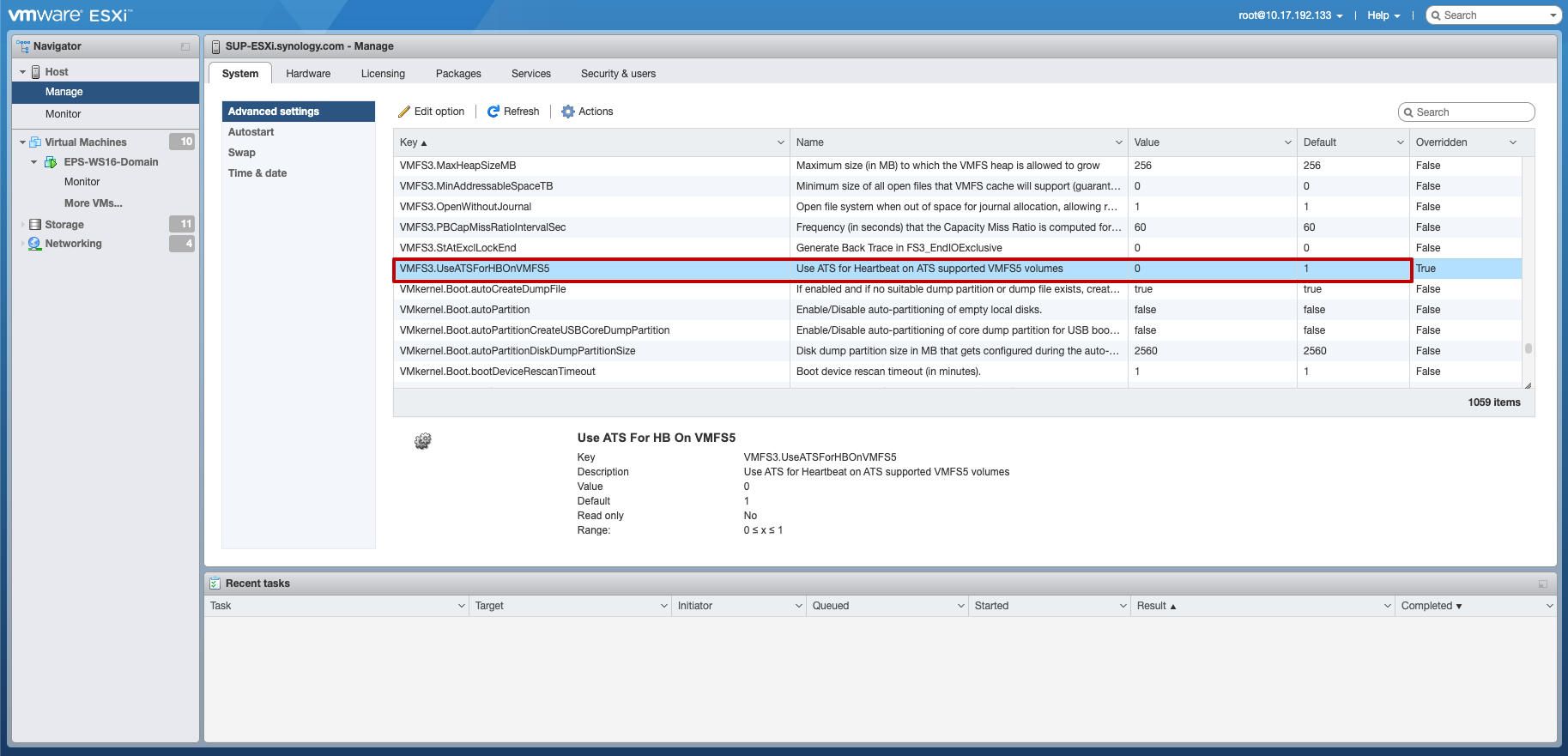
- The value of HardwareAcceleratedLocking is 1 if the Hardware-assisted locking advanced feature is enabled for your iSCSI LUN.

Comments
Post a Comment